In short
- You can make and download a Canva CV for free with the free templates and elements; some designs and photos need Canva Pro.
- Canva is a design tool: columns, text boxes, icons and skill bars can come out jumbled when an ATS extracts the text.
- Choose a single-column template, keep real text, leave out the photo and date of birth, download a standard PDF, then test that file.
- Kandiq starts from the other end: an ATS score for every version of your CV, and bullets tailored to each job advert.
On this page
What a Canva CV does well
- Design without design skills: drag-and-drop editing, fonts, colours and layouts, on a phone or a laptop.
- A free download: Canva's CV maker lets you download your CV as a PDF or convert it to Word, and the free plan includes more than 1.6 million templates across all design types.
- More than a CV: a one-page CV website, printed copies through Canva Print, a matching cover letter, all from the same account.
- Feedback from someone you trust: share a link so a friend, tutor or careers adviser can leave comments.
- AI help for a first draft, through the Job And Resume AI app (more below).
For a CV handed over at a graduate fair, sent directly to a small agency, or used for a role in design, marketing or media where the layout is part of the pitch, a well-made Canva CV works well. Canva's own advice for academic CVs is telling, though: keep the layout clean and save the creative templates for other applications.
Is a Canva CV free?
Yes, with the free templates and elements. The free plan covers the editor, the CV templates marked as free, up to 20 AI uses and a PDF download. Premium templates, photos and graphics are reserved for Canva Pro, which offers ten times more AI use and a free trial.
Canva sets prices by country, and on 31 October 2026 we could only load its pricing page in other currencies, so we don't quote a UK price here: check canva.com before subscribing. If you start a Pro trial just for one CV, note the end date and manage renewal from your account. For most job seekers, the free plan is enough.
Which Canva CV templates to choose
Searching “CV” in Canva brings up minimalist, corporate, creative, academic and photo templates. They aren't equal once software reads them. Before you fall for a design, think about who reads it first and how it gets there: an online application system, an agency inbox, or a person at a careers fair.
- Simple and minimalist: one reading column, clear headings, little colour. The safest choice for online applications and traditional sectors (finance, law, the public sector, healthcare).
- Modern with a sidebar: a narrow side panel for contact details and languages. Fine if the sidebar holds nothing essential, such as your job history.
- Creative: several columns, graphics, colour blocks, a large photo. Built for design, advertising or fashion, where the CV shows your eye; also the riskiest with an ATS.
- Templates with a photo: common in Canva's gallery, but a UK CV normally leaves the photo out.
A quick way to decide: open two or three templates and look only at their structure. The striking ones look best in the gallery; the plain ones survive automated reading. Our own CV templates show which ones pass every ATS check.
How to make a Canva CV, step by step
- Sign in and search “CV” (or “simple CV”) from the Canva home page, then open a single-column template.
- Replace the sample text, block by block, rather than adding new text boxes: contact details, personal statement, work history (most recent first), education, skills, and “References available on request”.
- Leave out your photo, age, date of birth, marital status and nationality: the National Careers Service advises against them, and UK employers don't expect them.
- Keep a readable font at 11 points or more, and the same style throughout.
- Write skill levels in words, not bars, dots or stars, and keep written headings rather than icons.
- Download as a standard PDF, not as PNG or JPG: an image has no text for software to read. Duplicate the design for each application.
- Test the file before you upload it anywhere.
Stuck on the top of the page? Our guide to the CV personal statement has examples, and skills for a CV covers the skills section.
Will a Canva CV pass an ATS?
An applicant tracking system doesn't look at your CV: it extracts the text and files each piece in a field (job title, employer, dates, skills) that recruiters then search. The more graphic the layout, the more that extraction can go wrong. Canva's own CV page says that using keywords from the job advert helps a CV pass applicant tracking systems; the layout matters just as much.
| Common in Canva CV templates | What an ATS may do | What to do instead |
|---|---|---|
| Two or three columns | Reads straight across the page and mixes sections | One column, or a short sidebar for contact details |
| Overlapping text boxes | Skips a block or puts it in the wrong section | Aligned blocks, no overlap |
| Skill bars, dots or stars | Reads the skill but not the level | Write the level in words |
| Icons instead of headings | Can't find “Work experience” | Written headings |
| Text saved as an image | Reads nothing | Check the PDF text can be selected |
None of this is a given: a plain Canva CV exported as a standard PDF often reads perfectly well. The only way to know for your file is to test it.
Canva's AI tools for your CV
Canva's AI CV help is an app called Job And Resume AI, under Apps in the editor sidebar. Paste your CV text and the job description, and it suggests a summary, skills, experience bullets and a cover letter that you drag into your design; Canva says the app is free to use. Magic Write, “powered by OpenAI”, rewrites or expands a line. Two limits: the free plan caps AI use, and no suggestion can tell you whether your layout will survive an ATS. Read each line before you keep it, and switch any American spelling back to British. For a closer look at AI writing, see our review of ChatGPT for your CV.
Canva CV or Kandiq: the comparison
| Canva | Kandiq | |
|---|---|---|
| What it is | A general design tool (posters, slides, social posts, video) | A CV and job application builder |
| Download without paying | Yes, with the free templates and elements | No: full preview for free, PDF and Word with a subscription |
| Price | Free plan; Pro is a paid subscription, priced by country | £2.99 for the first week, then £18.99 a month; or £29.97 every 3 months (£9.99 a month) |
| Design freedom | Total | 29 tuned templates, colours and options |
| How an ATS reads it | Depends on the template, up to you to check | 21 of the 29 templates pass every ATS check; the others say so on their thumbnail |
| AI writing | Suggestions from your CV and the job description | Each bullet rewritten inside the CV from the advert you paste |
| Cover letter | AI suggestion and matching designs | Written from your CV and the advert, with a scored review |
| CV website, print, video | Yes, a real strength | No |
| Application tracking, interview practice | No | Included with a subscription: job tracker, 2 coaching sessions a month |
What Canva does better: the free download, total design freedom, and everything around the CV. What Kandiq does better: showing how hiring software reads each version, and tailoring the content to each advert. For a creative role, a speculative application to a small business, or a CV you hand over in person, Canva gives you more room. For applications through job boards, agencies and large employers' online systems, a CV you've tested before sending is the safer bet.
Kandiq's AI uses credits: 5 when you sign up, 5 to tailor a CV to an advert, 2 for a cover letter. The ATS score comes from fixed rules, not AI, so the same file always gets the same score.
Moving your Canva CV to Kandiq without retyping
- Download your Canva CV as a standard PDF.
- Import it into Kandiq: the text is extracted and sorted section by section, and anything that wasn't recognised is shown to you.
- Choose a template, check the ATS score, then paste a job advert to tailor the bullets.
If the file doesn't import cleanly, treat it as a warning: an ATS will probably struggle with it too. You can also start from scratch in the CV builder.
Frequently asked questions.
Sources
- Free CV Maker: Create professional CVs online, Canva (checked on 31 October 2026)
- AI Resume Builder: Create Professional Job Resume Fast, Canva (checked on 31 October 2026)
- Canva Pricing: Compare Free, Pro, Business and Enterprise plans, Canva (checked on 31 October 2026)
- How to write a CV, National Careers Service (checked on 31 October 2026)
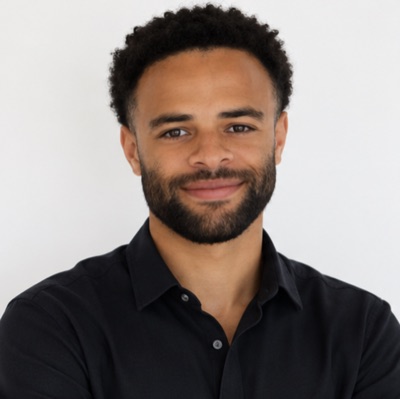
About the author
Diego Benitez
Founder of Kandiq, more than 100 hires led
Diego Benitez has hired more than a hundred people, in marketing, sport and sales, as a manager at Intersport and then as Head of Growth at Goodvest (2022 to 2026). He ran those hiring processes from start to finish: screening applications, interviews, the hiring decision, then managing the team. He also knows the candidate's side: internships, work-study, student jobs, a permanent contract, starting an agency, then freelancing. He built Kandiq to give candidates what he looked for in an application himself, and what screening software can read. His guides start from the questions candidates ask Google, rely on official public sources (government employment and careers services, employment law) and are updated when the rules change. The examples are fictional; the figures are sourced.